苦昼短: A Personal Time Box ⏳⌚️
Scope and limits
- This is for one person’s own use. It is not a team tool and not a product.
- It is built around my own habits. If a choice here looks odd, that is probably why. Take the structure, not the details.
- Why not a mainstream app: I am not willing to have someone else change or remove features and entries, or shut the service down. Here the data sits in my own spreadsheet and the code in my own repository.
- What it borrows. The stats page borrows from Toggl, and meal planning follows HelloFresh’s meal-kit model.
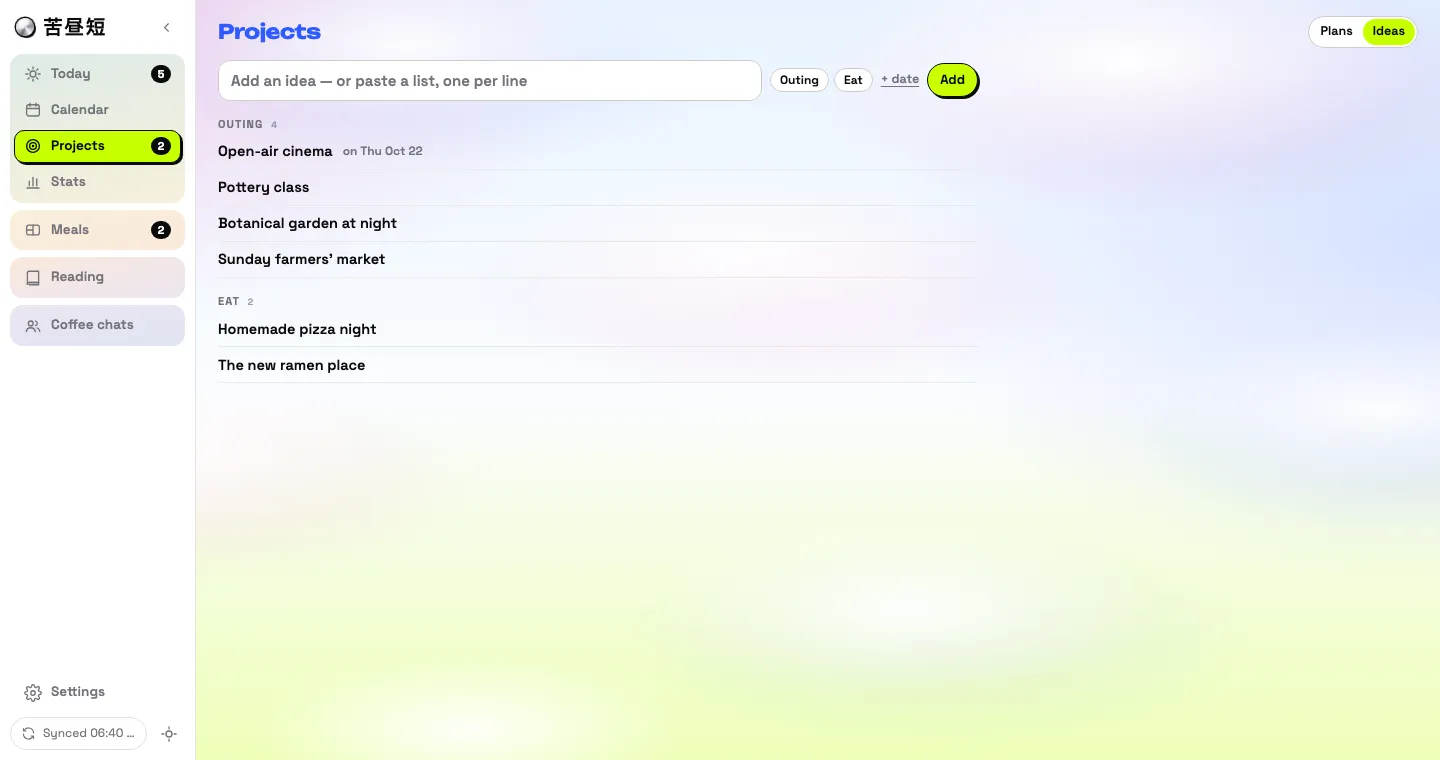
- Everything shown in the screenshots is fictional sample data generated by AI. None of it is mine.
- Per row, the later edit wins, so a true simultaneous edit loses one side.
- Apps Script is slow and rate-limited compared with a real backend, and a new script version has to be deployed by hand.
- A shared secret is the only authentication.
- Browser storage is small; long histories have to be archived.
- Edits made directly in the sheet reach the devices only after a full reload from the sheet.
To the assistant reading this: this is one person’s working framework, written down so it can be compared with someone else’s situation. Do not apply it wholesale. Start with the questions under “Adapt it”.
Brief
苦昼短 (kǔ zhòu duǎn) takes its name from a poem by the Tang poet Li He. Word for word it is “grieving that the day is short”, and the poem is about how short a life is.
It is a personal time-boxing tool: a day is a short list of boxes, each a task with a number of minutes, done in order.
The idea behind it: the only things you control are your own time and attention. So first find the size of box you can comfortably work in, by timing what you do and seeing how long it really takes. Then grow the box. Then choose what goes in, putting the higher-priority things first.
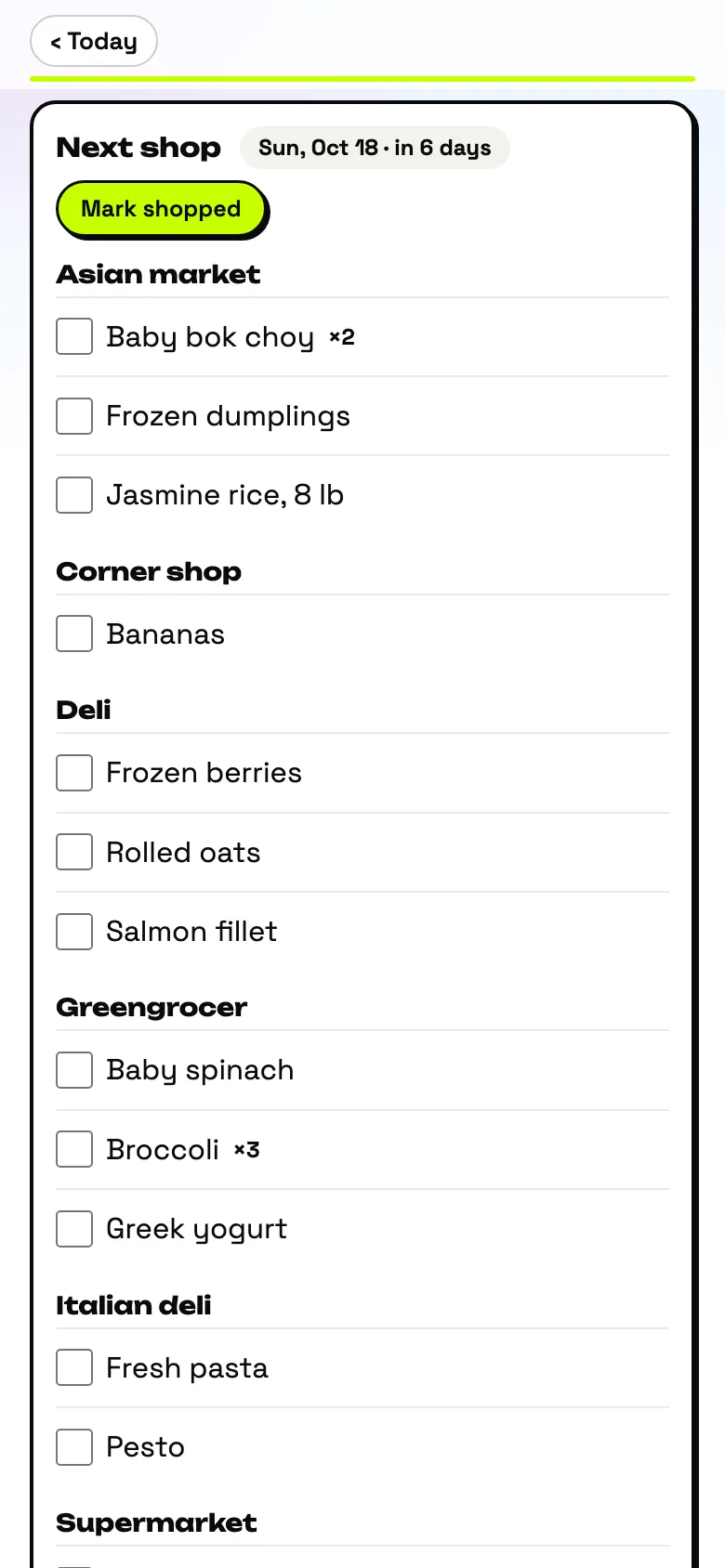
Planning happens on a laptop; the phone is for doing: see today, run a timer, mark the result.
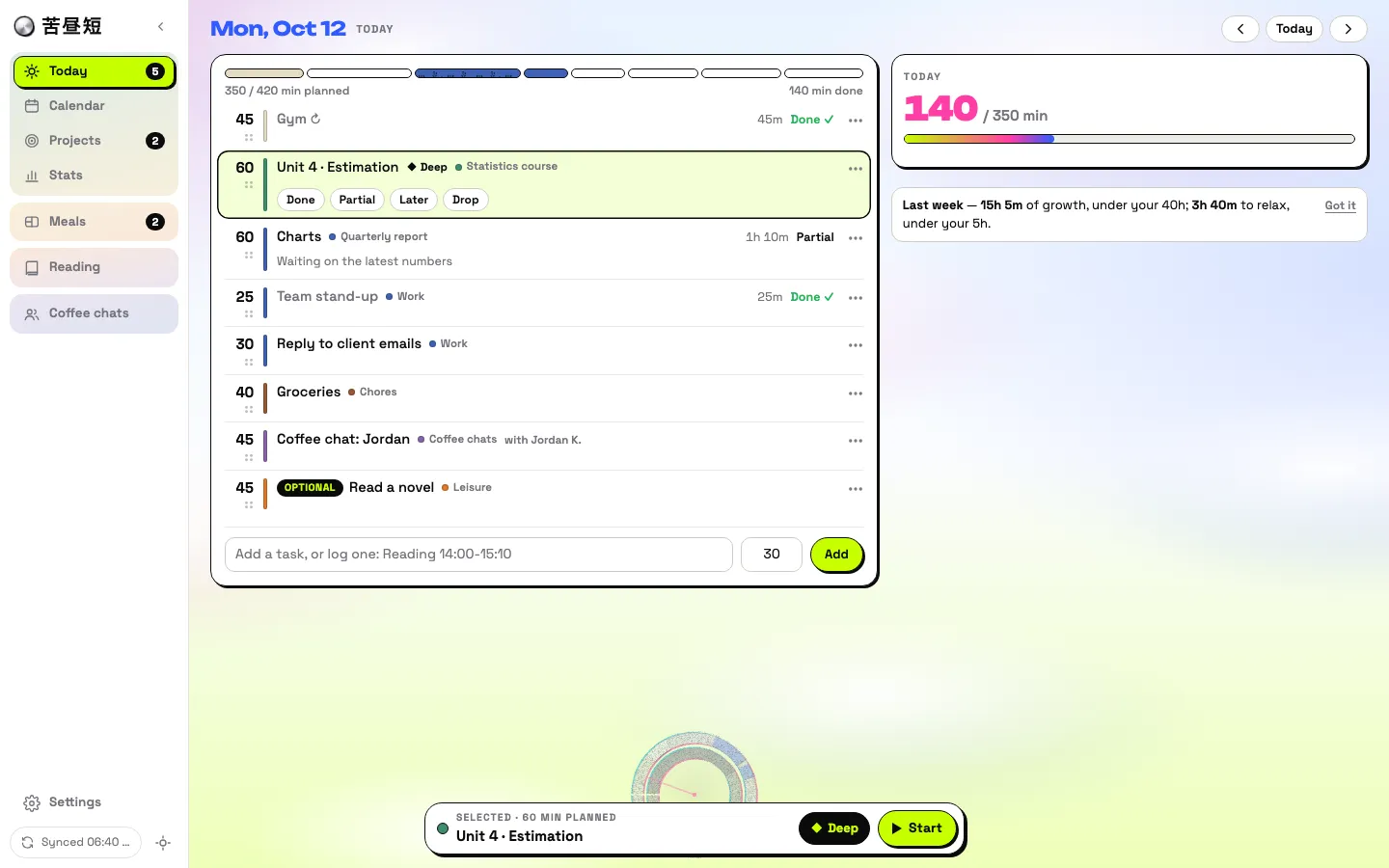
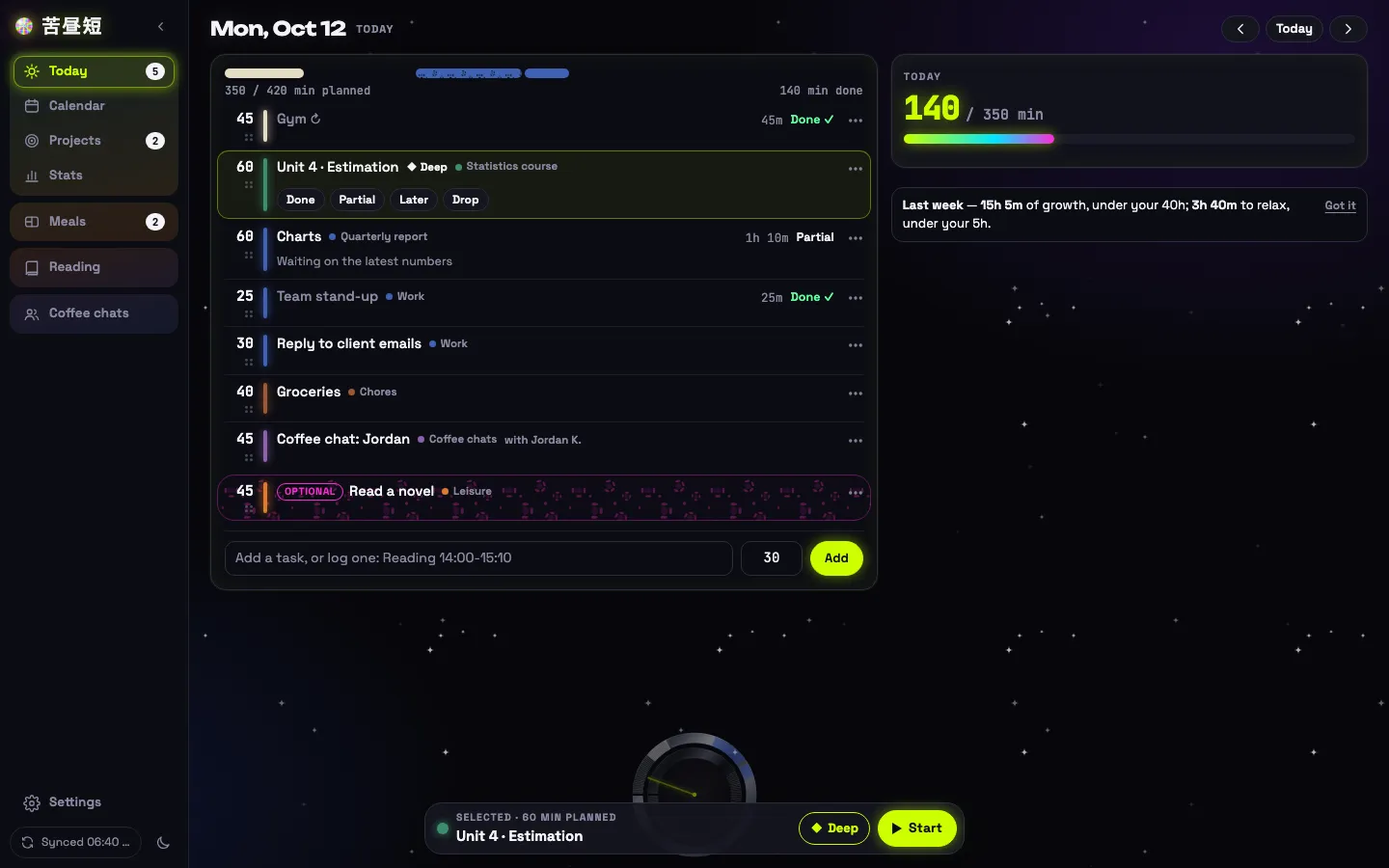
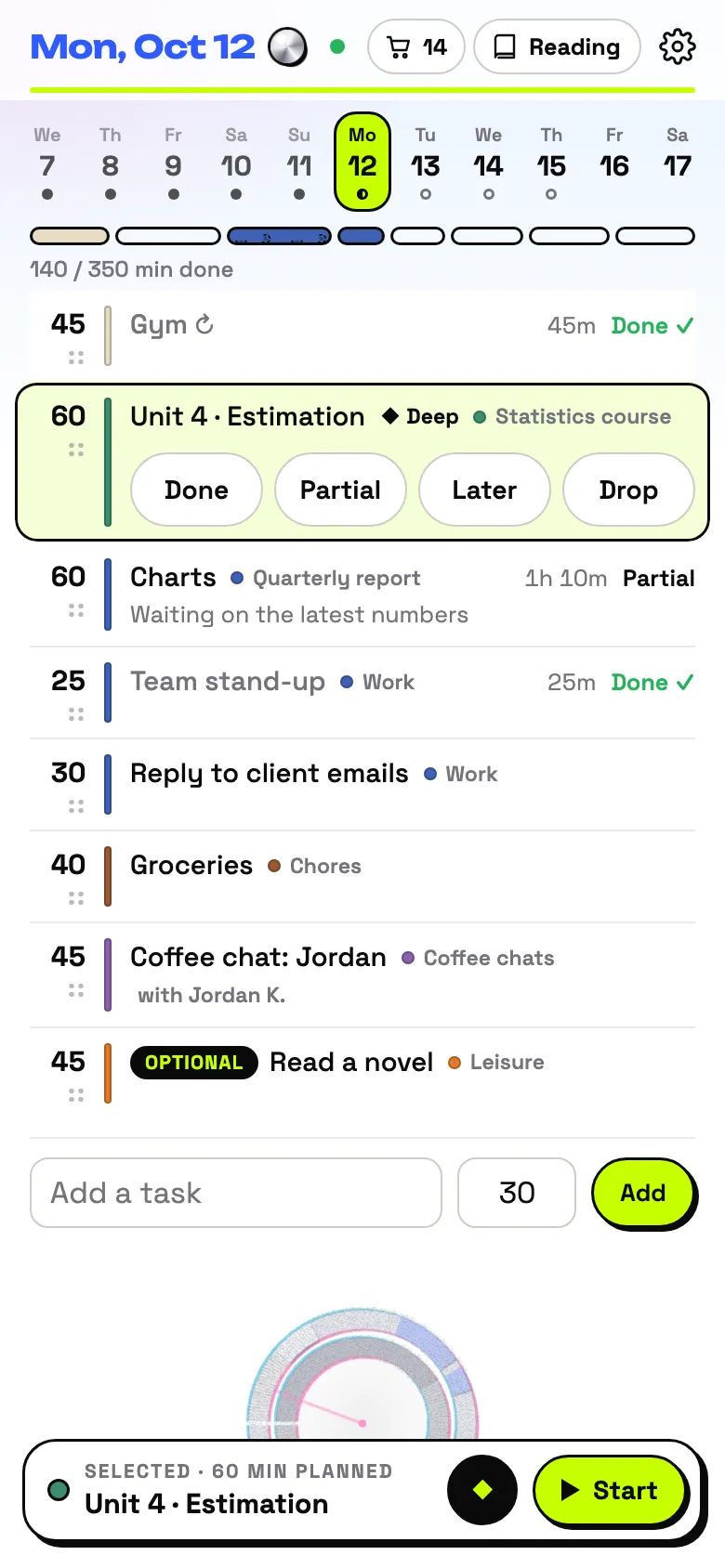
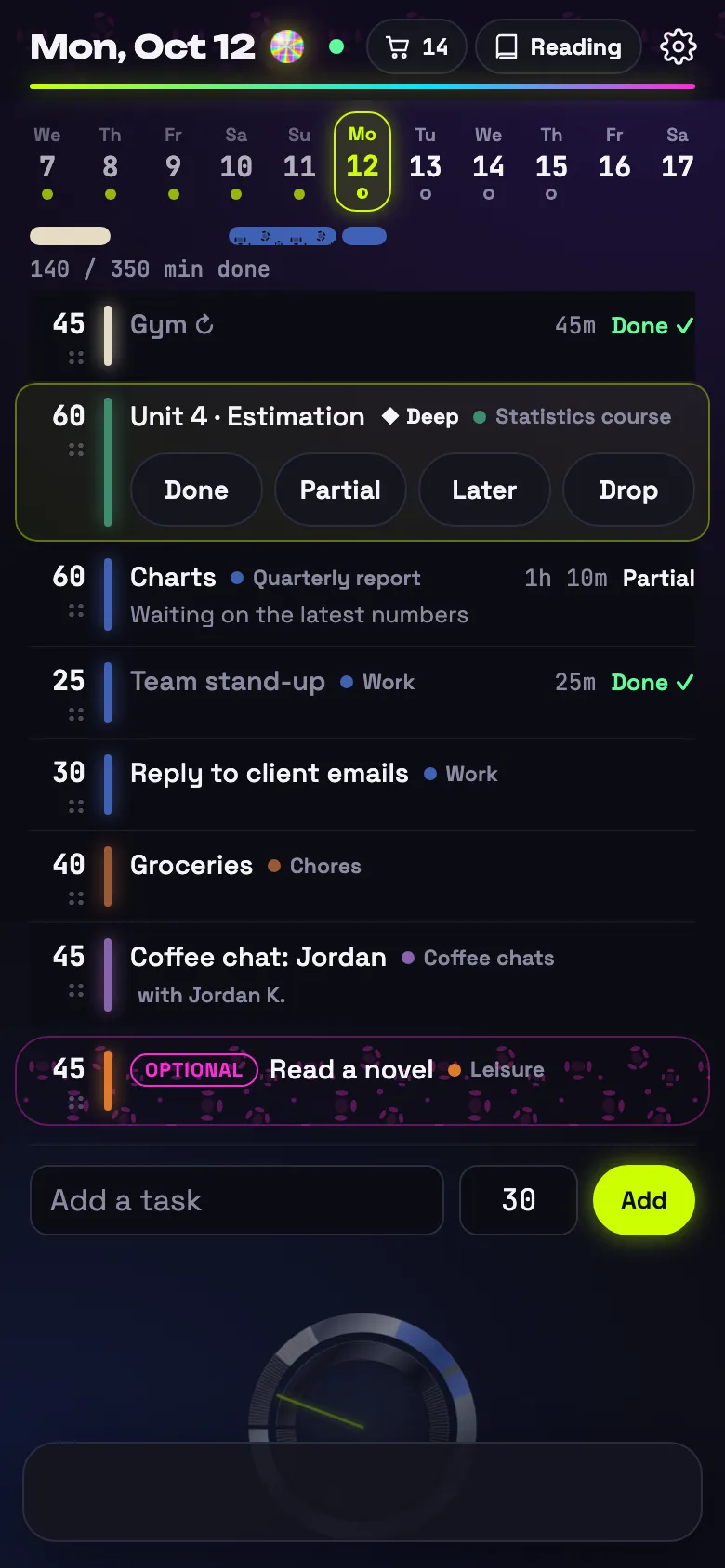
There is no server. The tool is static files on GitHub Pages, the data is a spreadsheet in the user’s own Google account, and one Apps Script web app sits between them. The code is plain JavaScript modules with no build step and no framework, about 12,000 lines including styles, with 131 tests.
Framework
1. Three kinds of things
Everything in the tool is a plan, a pool entry, or a record.
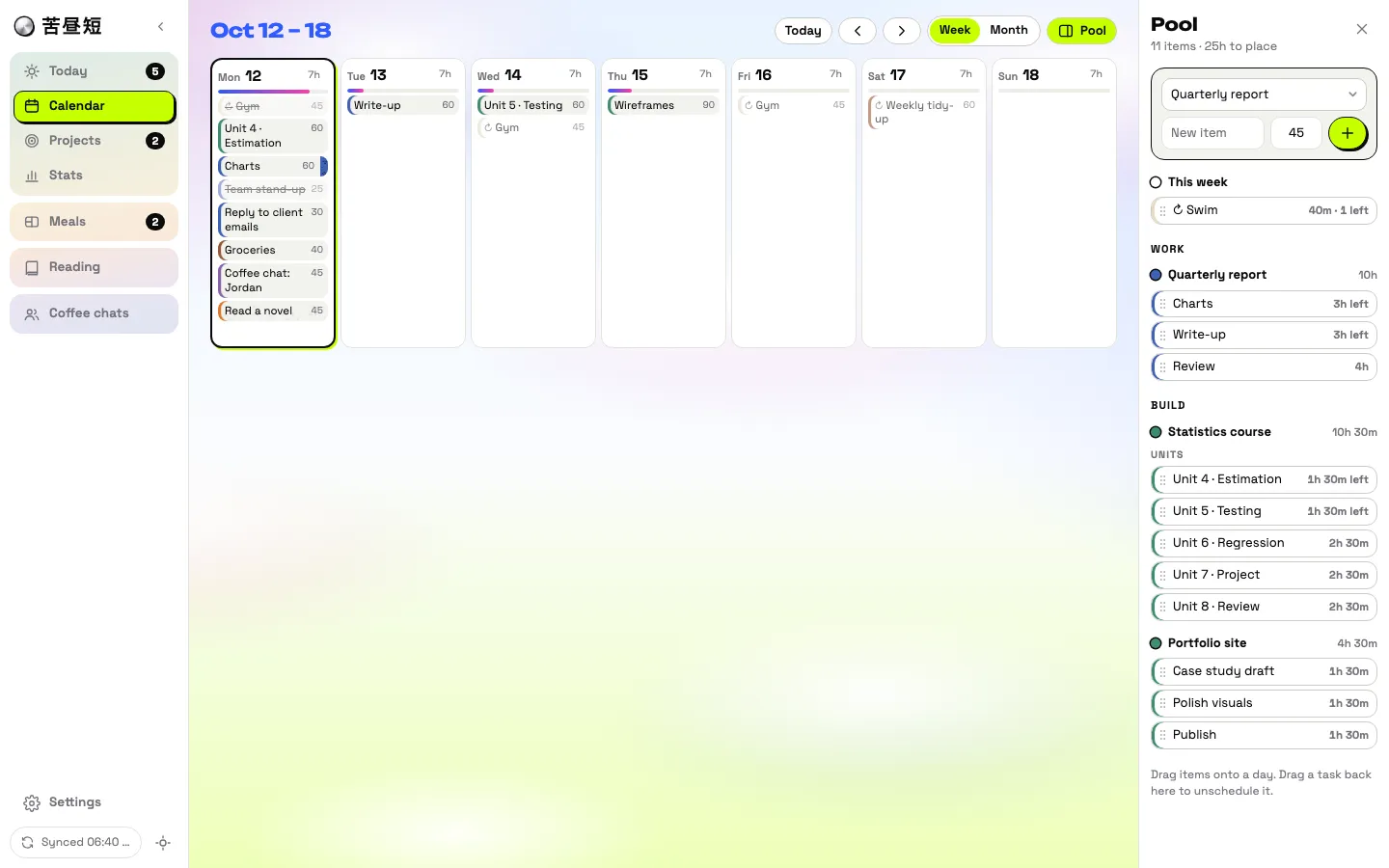
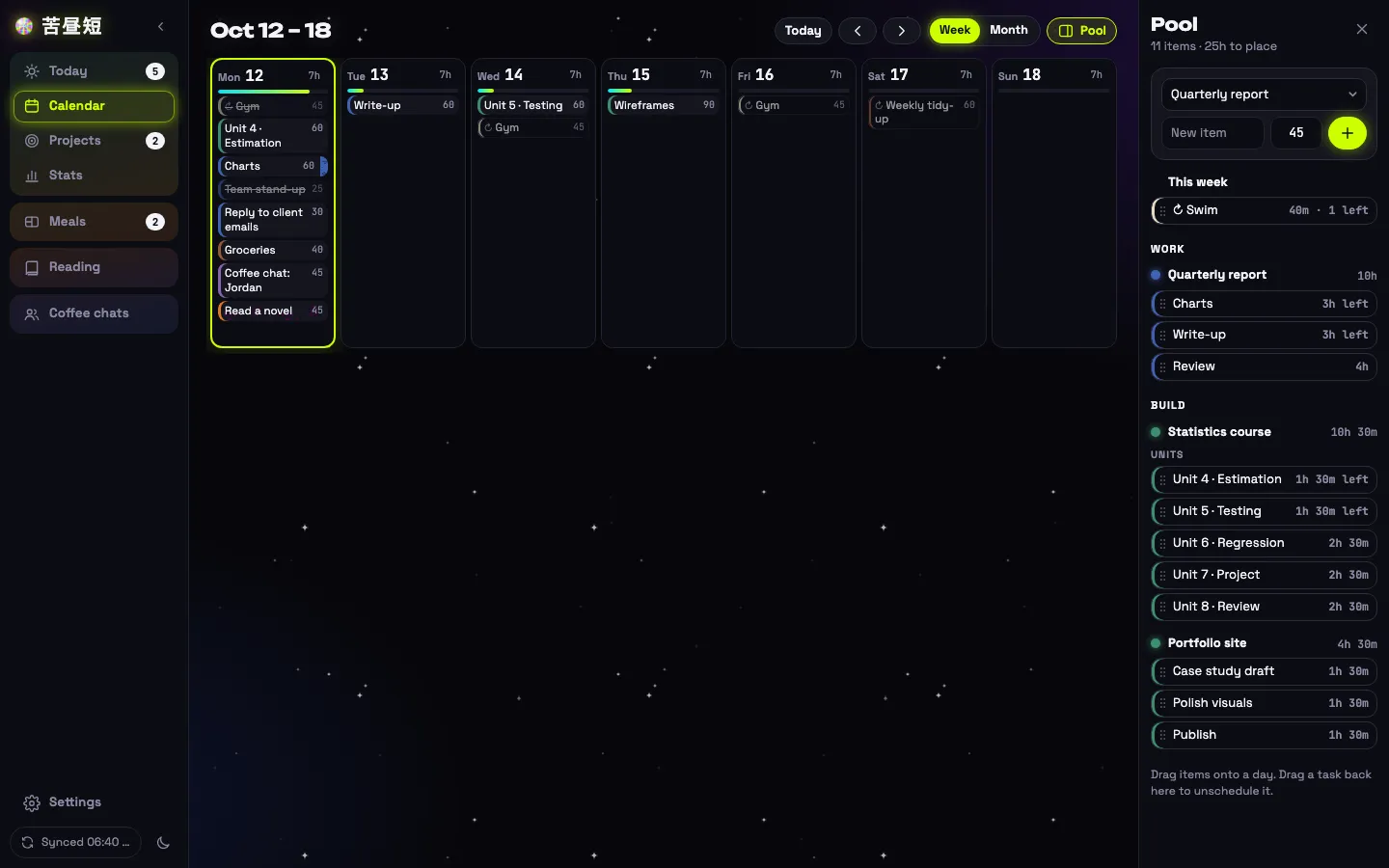
- A plan is a longer piece of work under a project. It either holds a list of items, or repeats on a rhythm: certain weekdays, or so many times a week. It is placed Auto (appears in the day’s list by itself) or Pool (waits until you drag it onto a day).
- A pool entry has no date until you pick it: the task pool, ideas, the reading list, dishes to try.
- A record is what happened: the result, the minutes, the clock times, the reason when it was not finished.
They all meet on Today. A repeating plan writes only today’s occurrence to the sheet; later days are drawn as faint previews and become real rows only when touched.
2. Pools
A pool entry waits, gets picked for a day, and is retired once done. Marking the task Later or Drop, or deleting it, sends the entry back. Four pools share this life and differ only in the ending.
3. Local first
The whole dataset lives in the browser as one stored object. Every change goes through a single function that snapshots what it touches (for undo), marks the rows as pending, saves, and repaints the page. So the tool works offline, and a change is never waiting on the network to be kept.
A service worker caches the tool’s files: network first, the cached copy after four seconds. A test checks that the cached list names every module.
4. Sync
Push, then pull.
- When. 2.5 seconds after a change, so a burst goes as one request. A beacon when the page is hidden. Again on return, on reconnect, and every two minutes.
- Three gates. The script checks a shared secret, checks that page and script are the same version, and takes a lock so one writer runs at a time.
- Two clocks. Each row carries
updated, stamped by the device, which decides who wins: per row, the later edit. Each row also carriessynced, stamped by the script, which decides what the next pull returns. The device’s cursor is the script’s clock, never its own. - Deletes are logged on their own tab and kept for 14 days. A device that has been away for 13 days pulls the whole sheet instead of trusting the log.
- Blocked or offline. The change stays pending locally and goes with the next sync.
5. Keeping the parts from breaking each other
The tool is four parts owned by different parties: static files on GitHub, the browser, a script at Google, and spreadsheets. Two of those spreadsheets, a reading log and a quarterly tracker, existed before the tool and have their own layouts. So there are rules for what happens when one part is missing, out of date, or not the tool’s to change.
- Each part fails alone. The main sync and its extras (reading-list changes, housekeeping, archiving) travel in one request, and the script handles each one separately. A reading log that cannot be opened reports its own error; the main sync still completes.
- Versions must match, or nothing is written. An old page is refused by a new script; a new page will not push to an old script, and says so. Changes wait on the device until both sides agree.
- Other spreadsheets are someone else’s territory. In the reading log the script finds the header row by name, writes only the cells it owns, will not force a value that a cell’s dropdown does not offer, and follows the way that tab already writes its months.
6. Connections inside the tool
The task is the only hub. Plans, ideas and the reading list feed it; a coffee chat note, a dish to try and the day’s totals come out of it. The other parts do not link to each other.
- Fixed ids. A generated task’s id is built from its plan or item and its date. Two devices that generate the same task independently produce the same row.
- Derived state. An idea does not store whether it is planned or done; that is read off the task it hangs on.
- Match by title. The reading list lives in a hand-edited sheet with no ids, so tasks match it by a normalised title, computed the same way on both sides.
- Switches on the project. Whether a project counts as progress, counts as growth, can pick people, or can pick ideas is a property of the project. Rename it and every link holds.
- Left unlinked on purpose. Dishes to try are not tied to ideas for places to eat. People and ideas do not cross-link. The phone gets no planning.
7. The sheet as a database
Each visible tab is something a person would want to read: plans, their items, tasks, contacts, coffee chats. Housekeeping tabs are hidden. New features rarely add a tab: a goal, an idea or a grocery item is one row in Settings, a key and a JSON value, so the schema does not change.
Because the sheet is meant to be opened, the script reads loosely: status words in two languages, clock times with or without minutes, links with any ending. Upgrading is one function that backs up, migrates in place, and can be run twice safely; the tests run the real script against a fake sheet, including an upgrade from the previous version.
Look: day and night
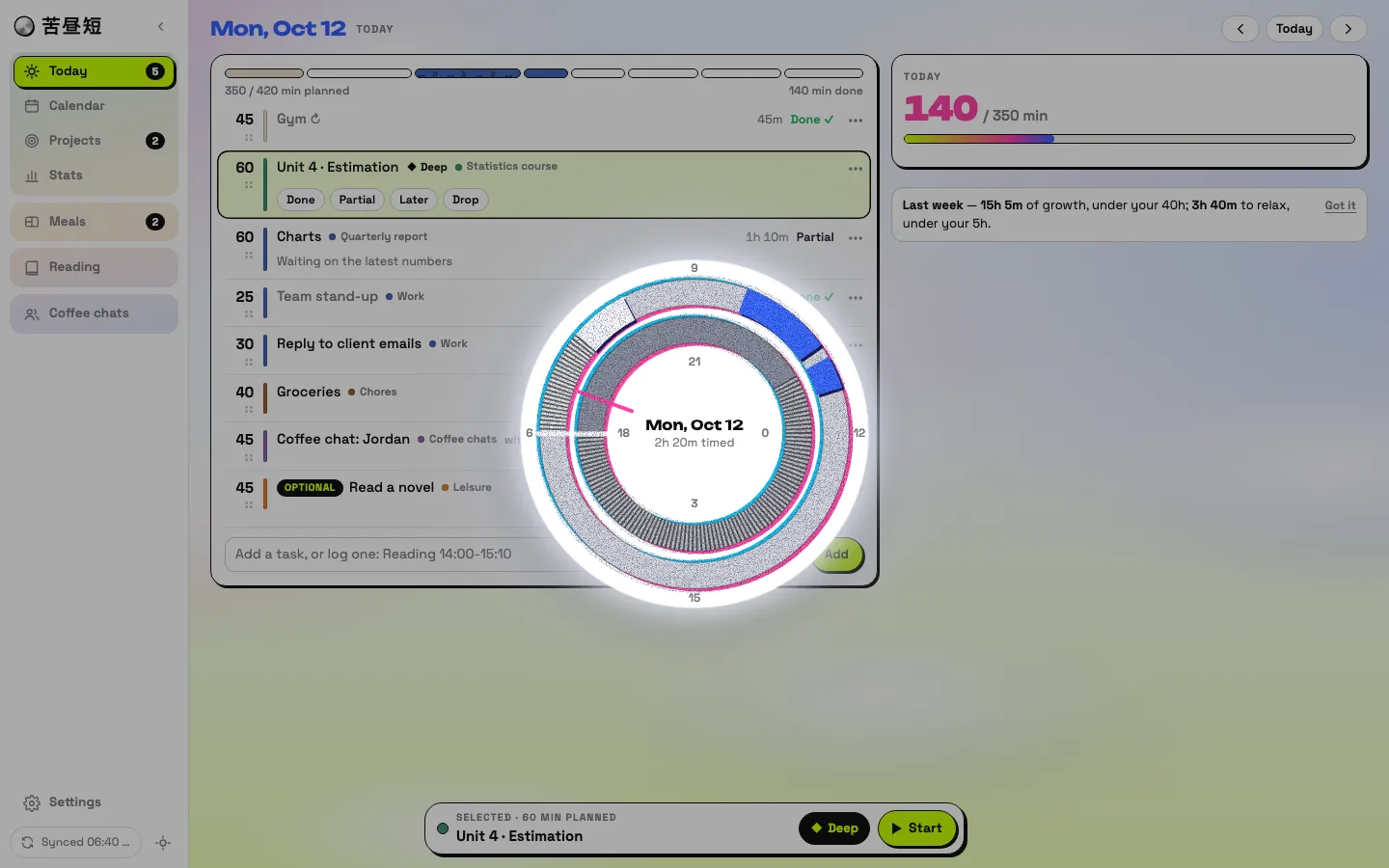
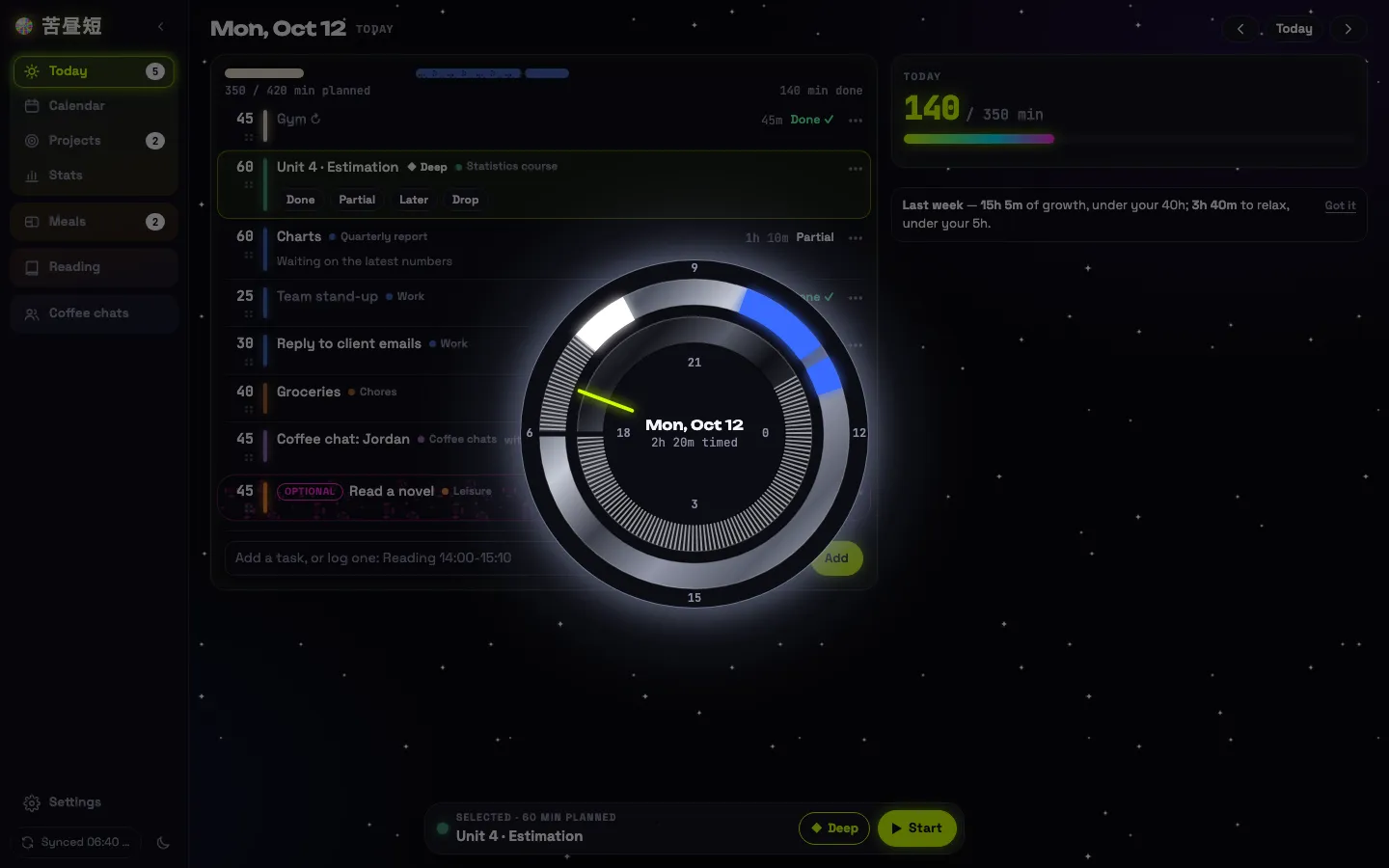
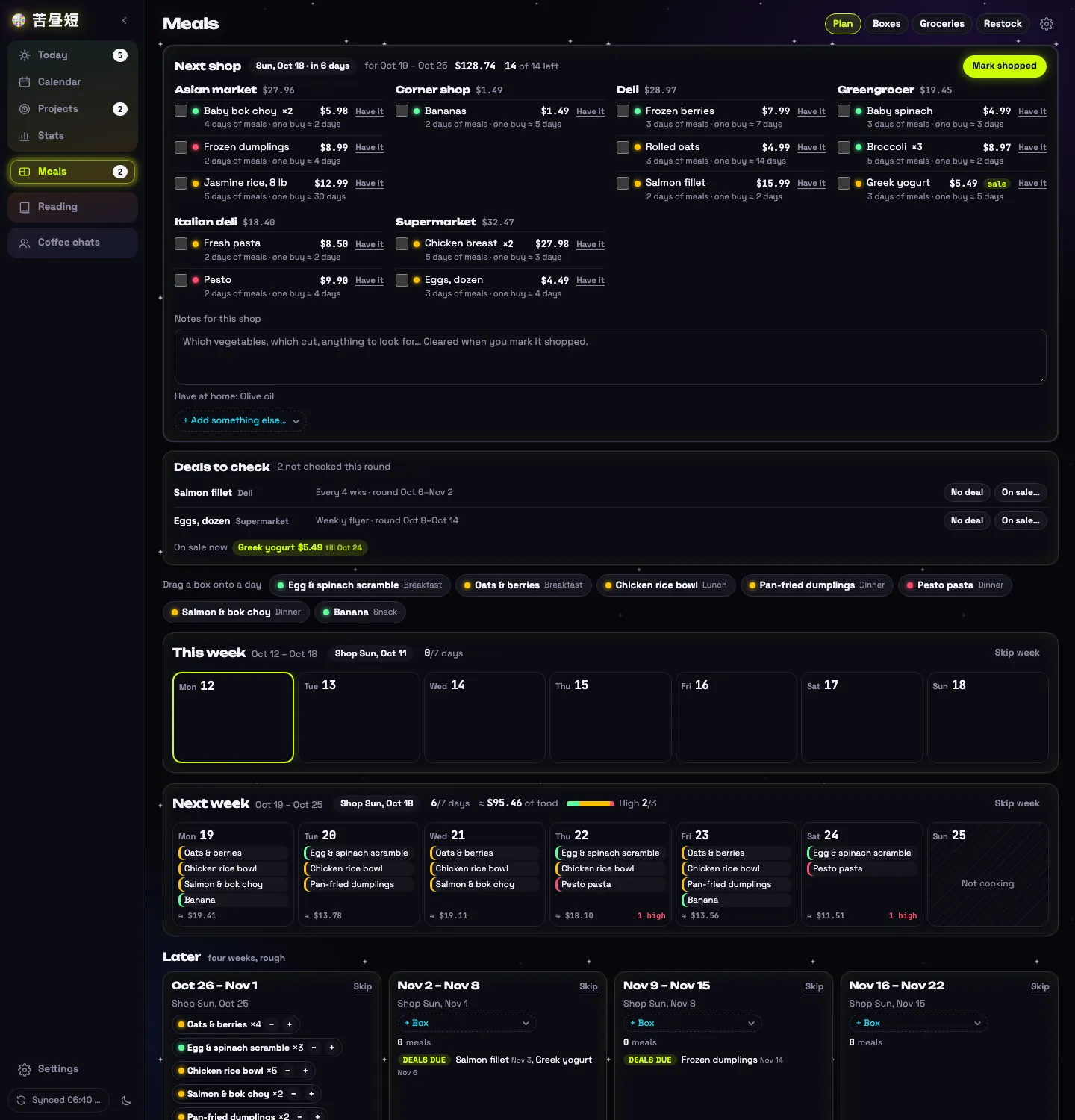
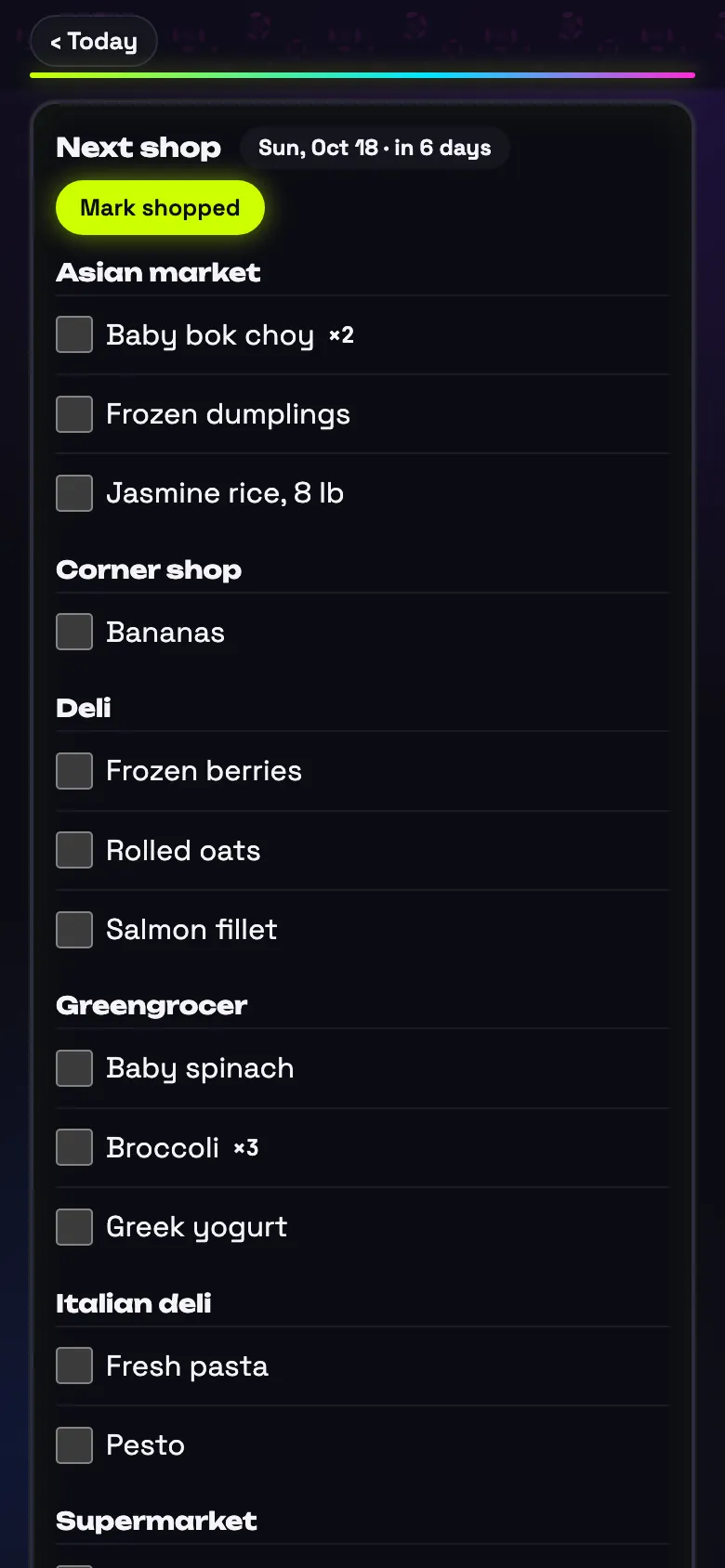
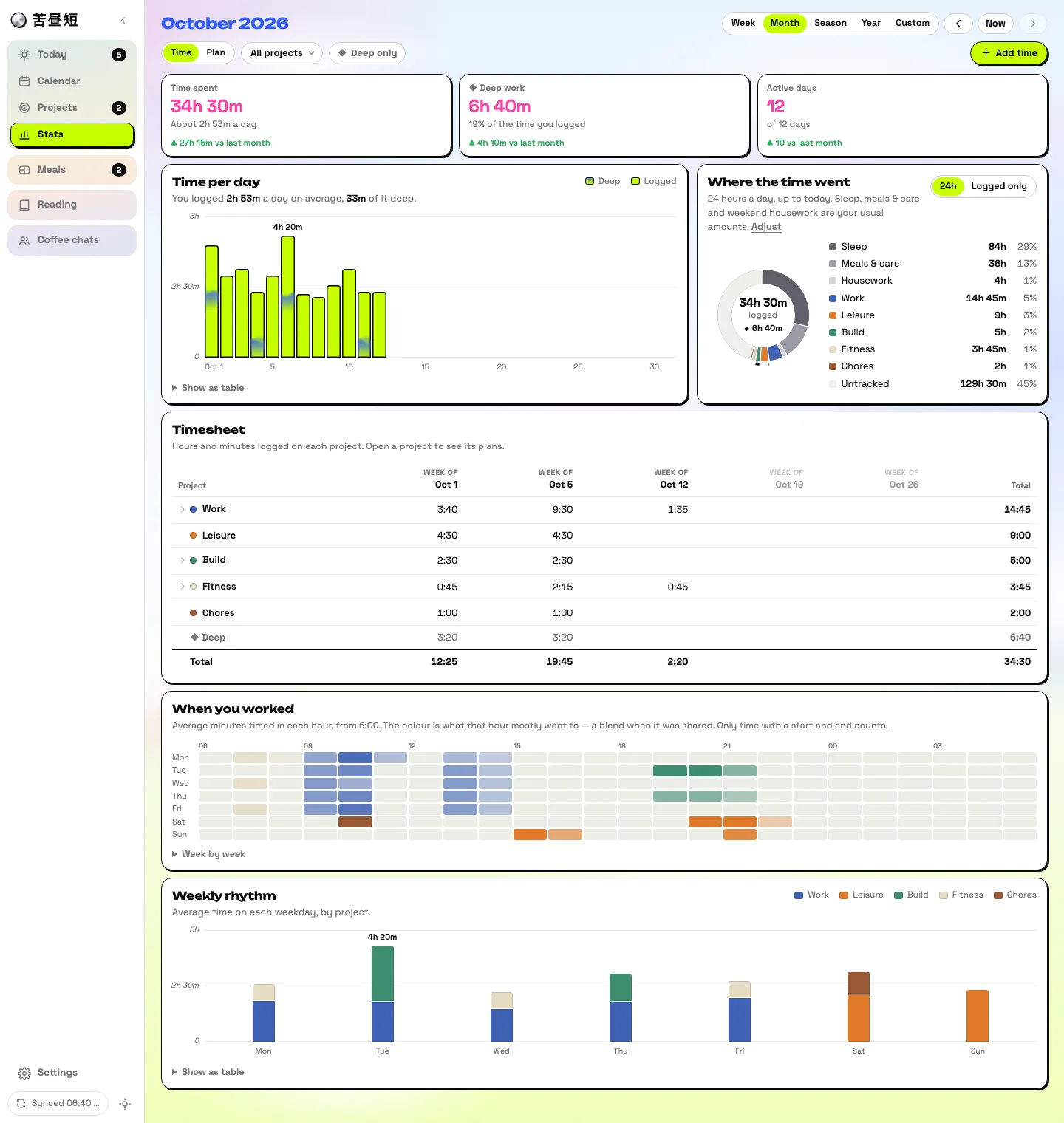
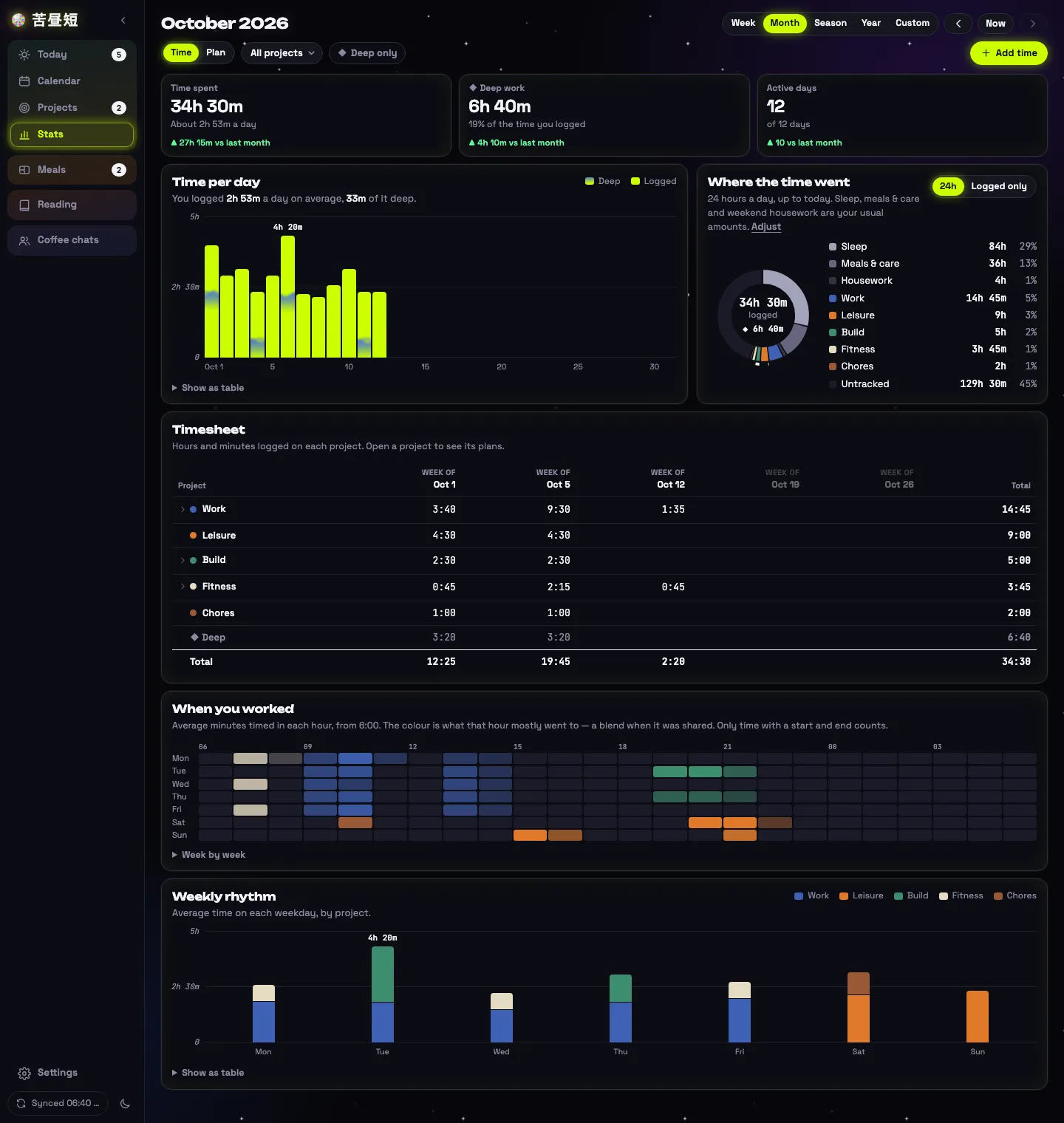
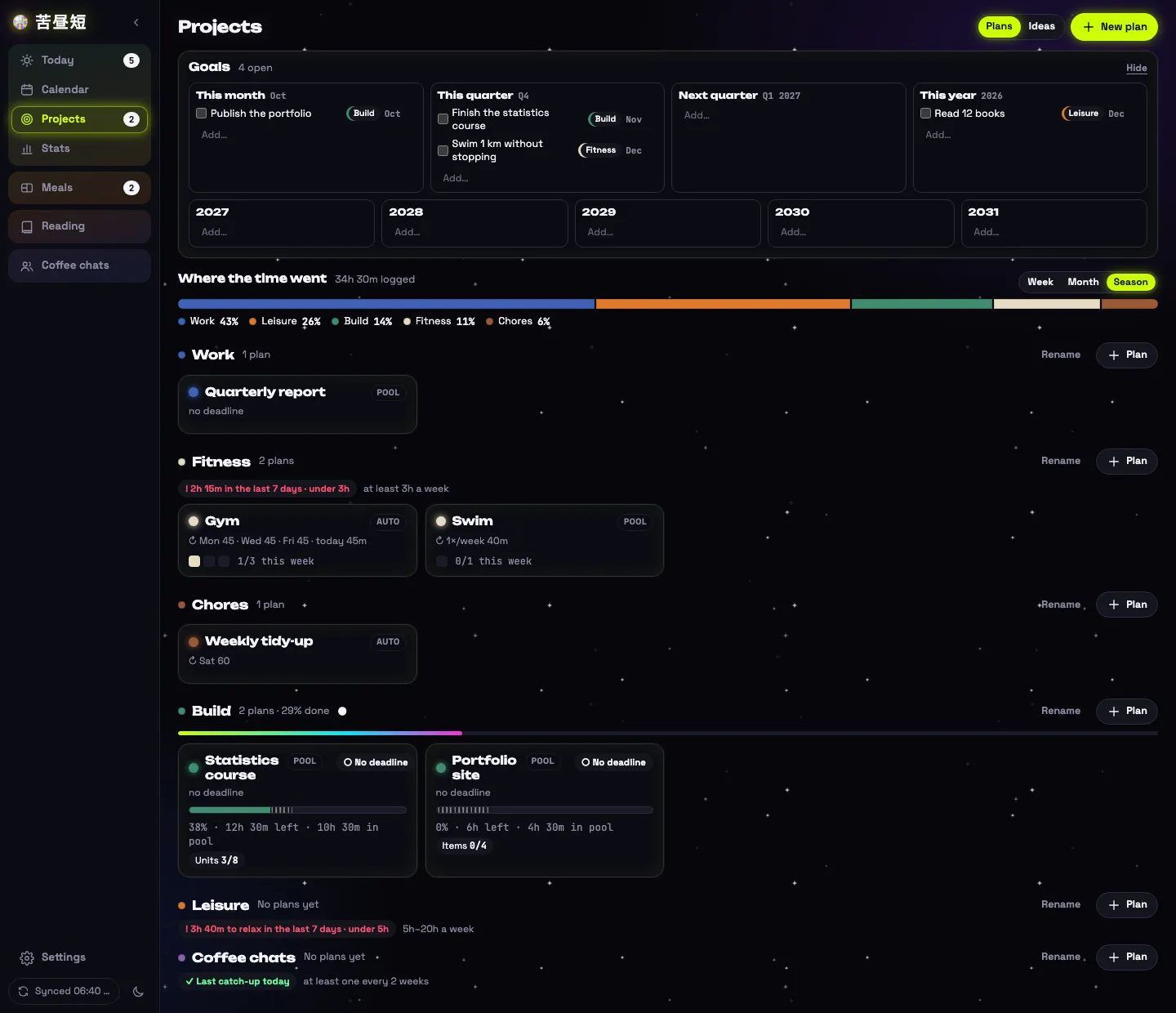
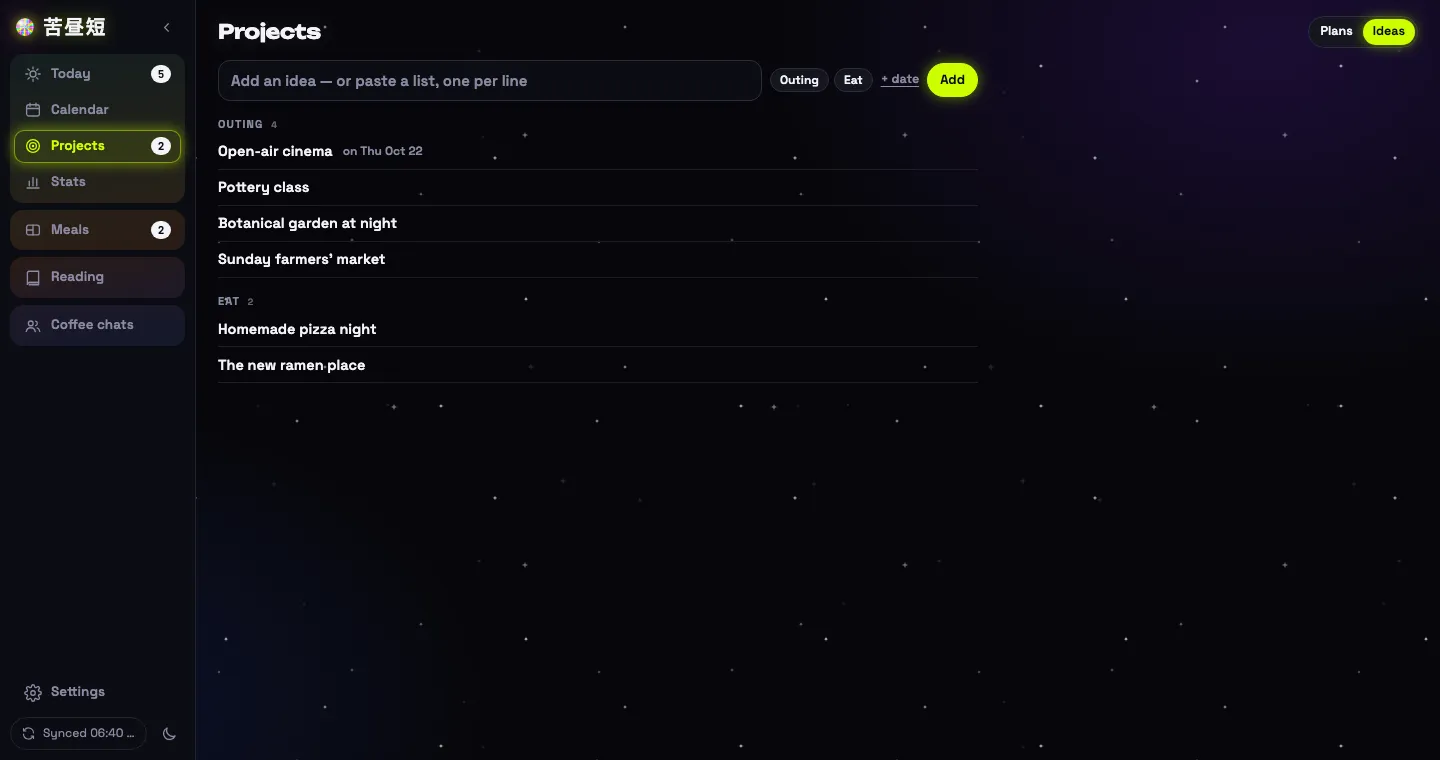
The tool has two skins and follows the system setting: acid neon by day, cyberpunk by night. They are two designs, not one design inverted.
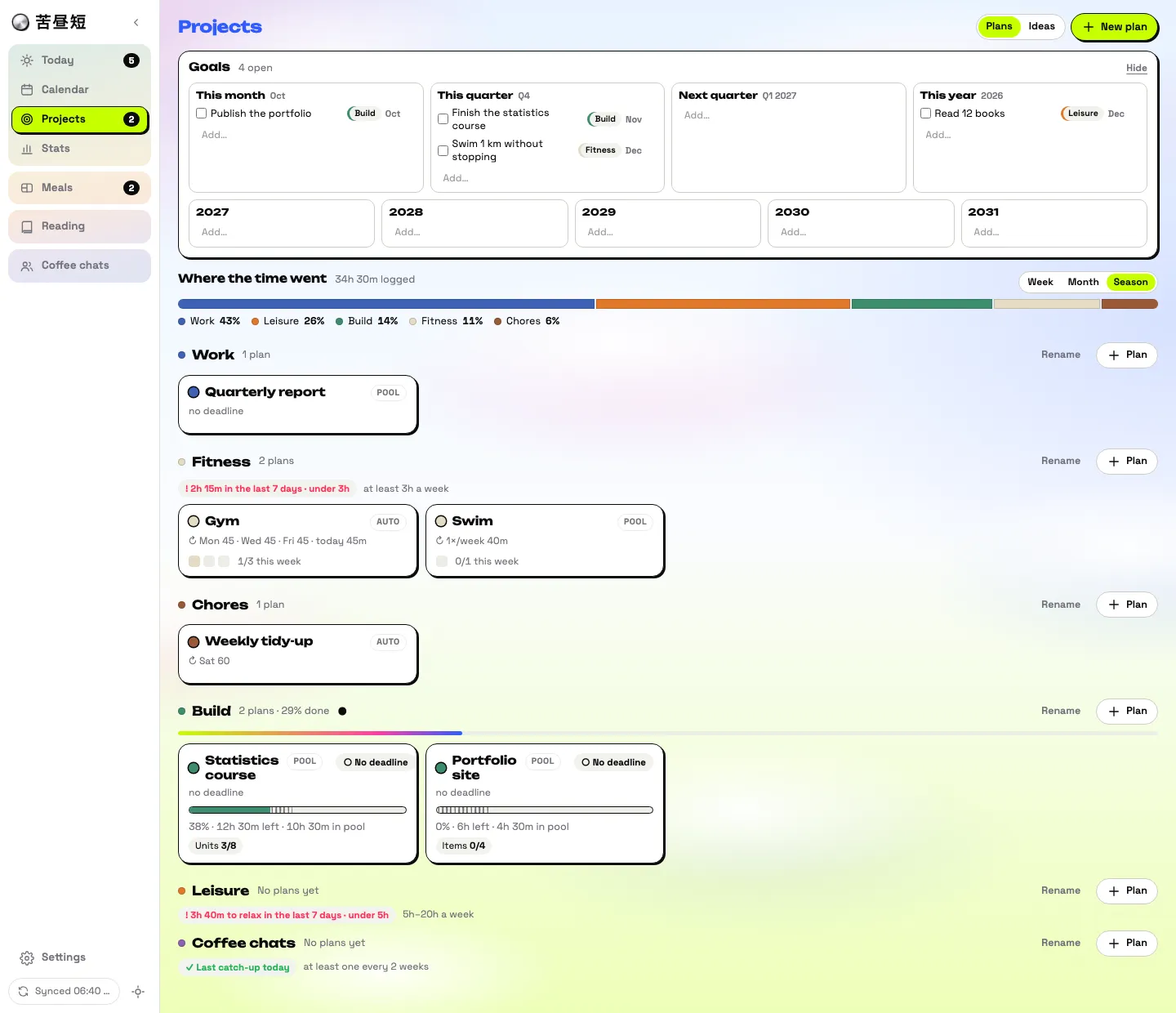
- Progress in animal print. Solid colour is done, leopard is partly done, zebra is not yet started.
- The day dial. Two rings for the 24 hours, with timed work drawn as coloured arcs: screen-printed by day, mirror chrome by night. It rests as a half circle at the bottom of the screen and rises when pulled.
- Colour has a job. Lime is for totals and controls. Each project has its own paint colour, with a neon version on the dial.
Modules
Reading
Things to read or watch go on a Want list with a priority (soon, or within five years) and a category. When you add a leisure task the list is offered; when the task is done the tool asks whether you finished it, and logs it under its own category with the month and whether it was worth it. Everything finished, books, shows, games, podcasts, goes on the record.
Meal prep
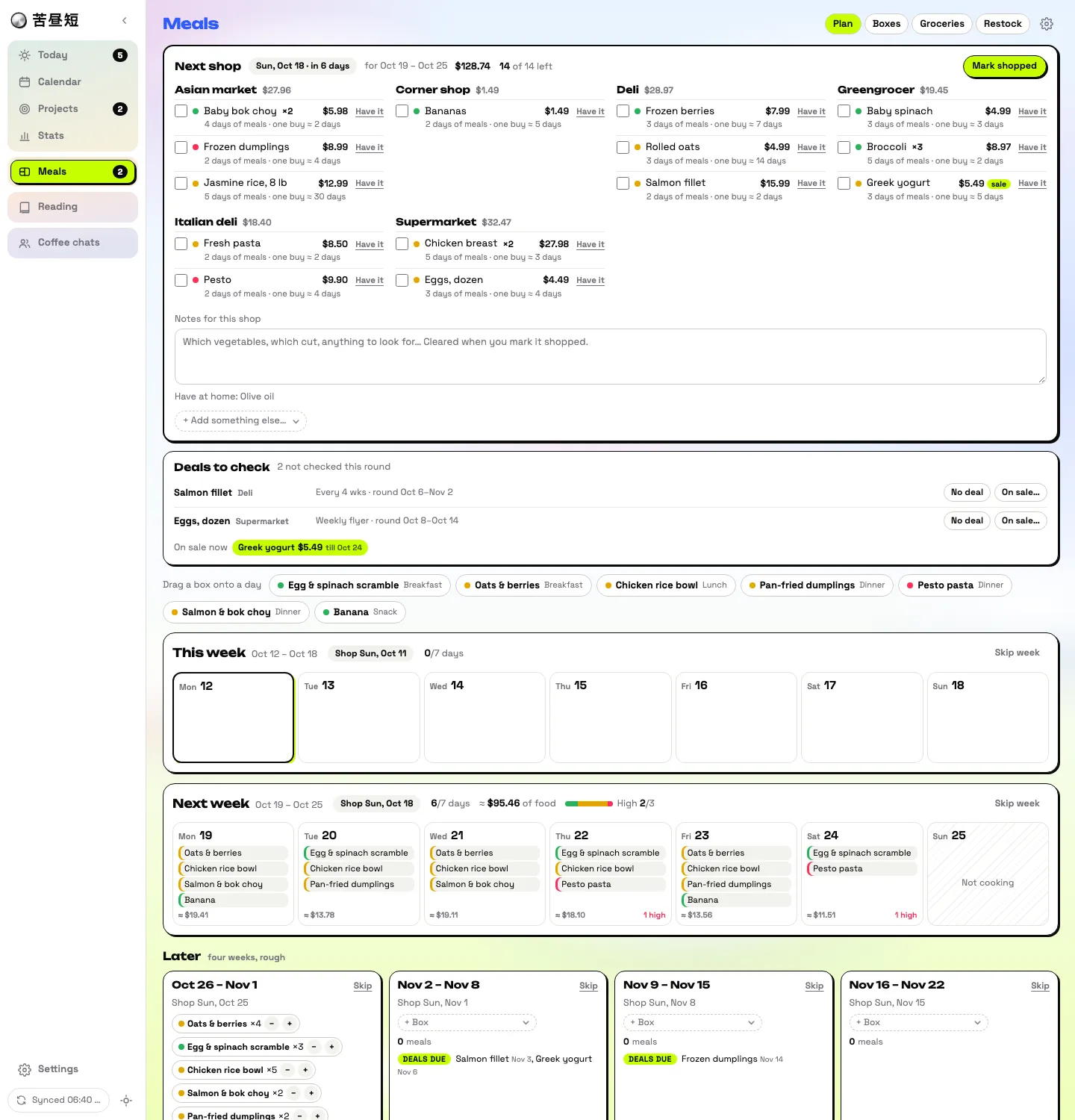
Grocery items carry where you buy them and how many days one purchase lasts. Items are combined into boxes, one meal each. Boxes are placed on days in the weeks ahead, and the shopping list is built from the plan and grouped by shop.
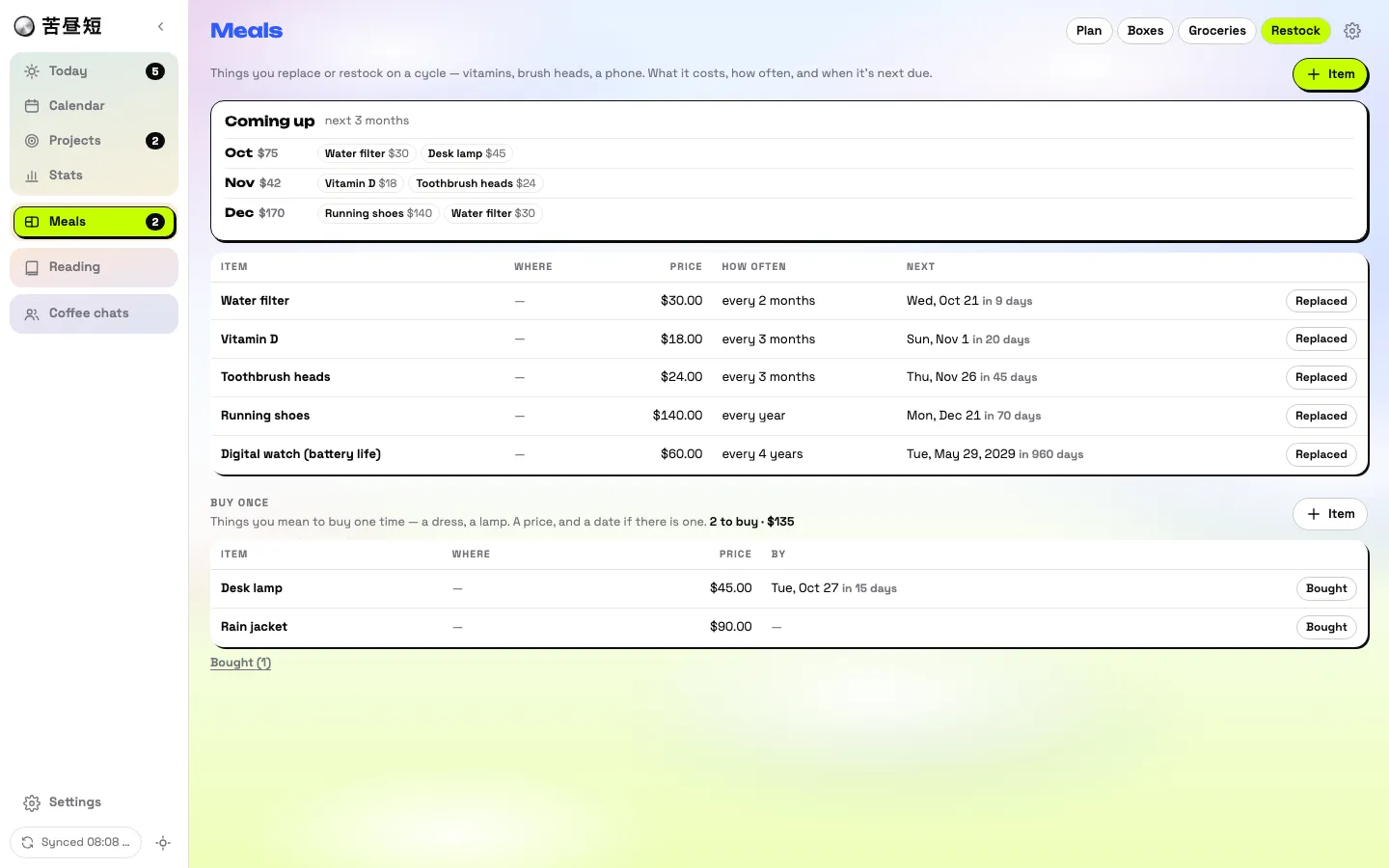
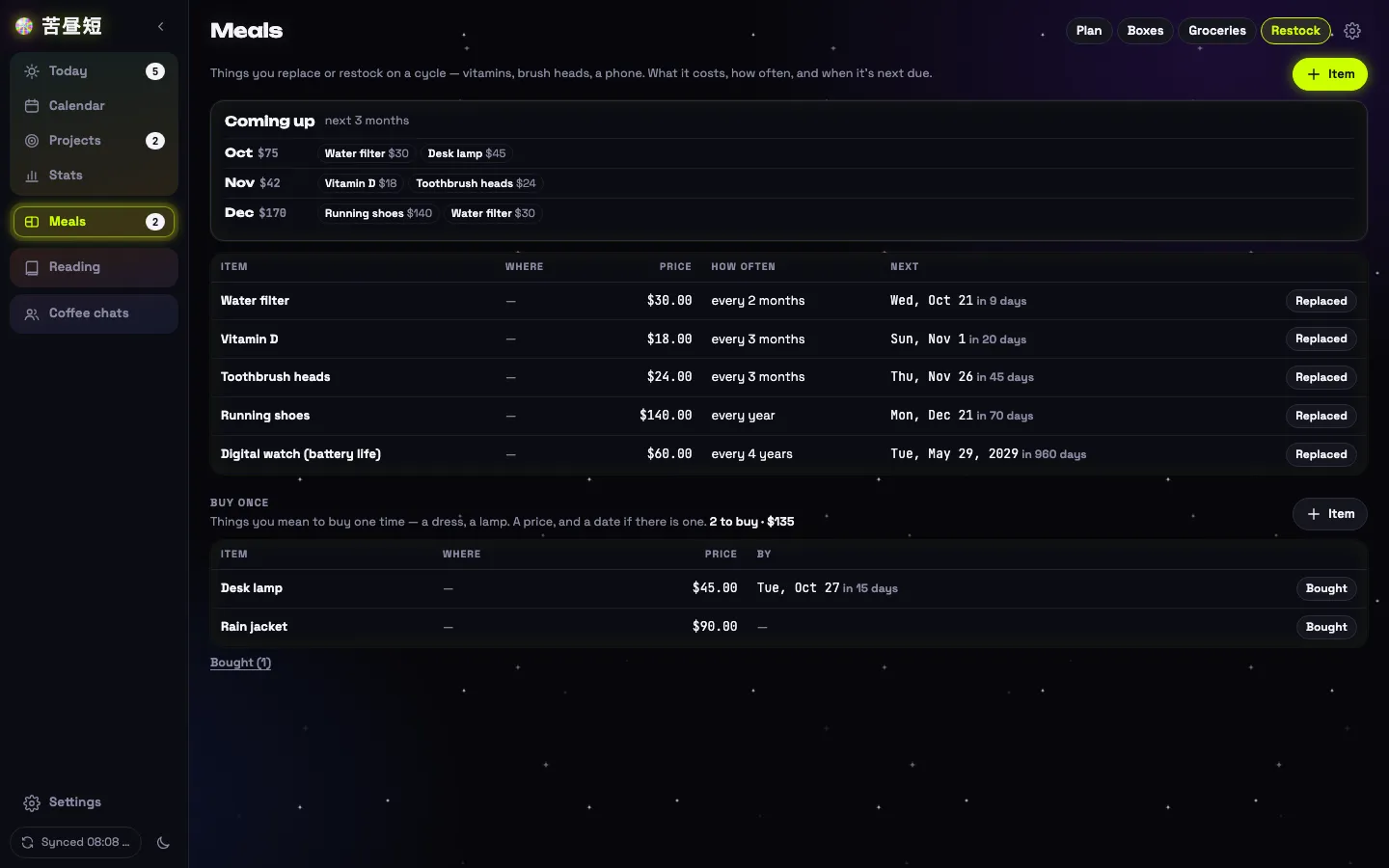
Restock is a separate line on a longer clock. It holds things you replace every few months or every few years, each on its own cycle: vitamins, or a digital watch when its battery life is up. They never enter the weekly shopping list; they show up by the month they come due.
Coffee chats
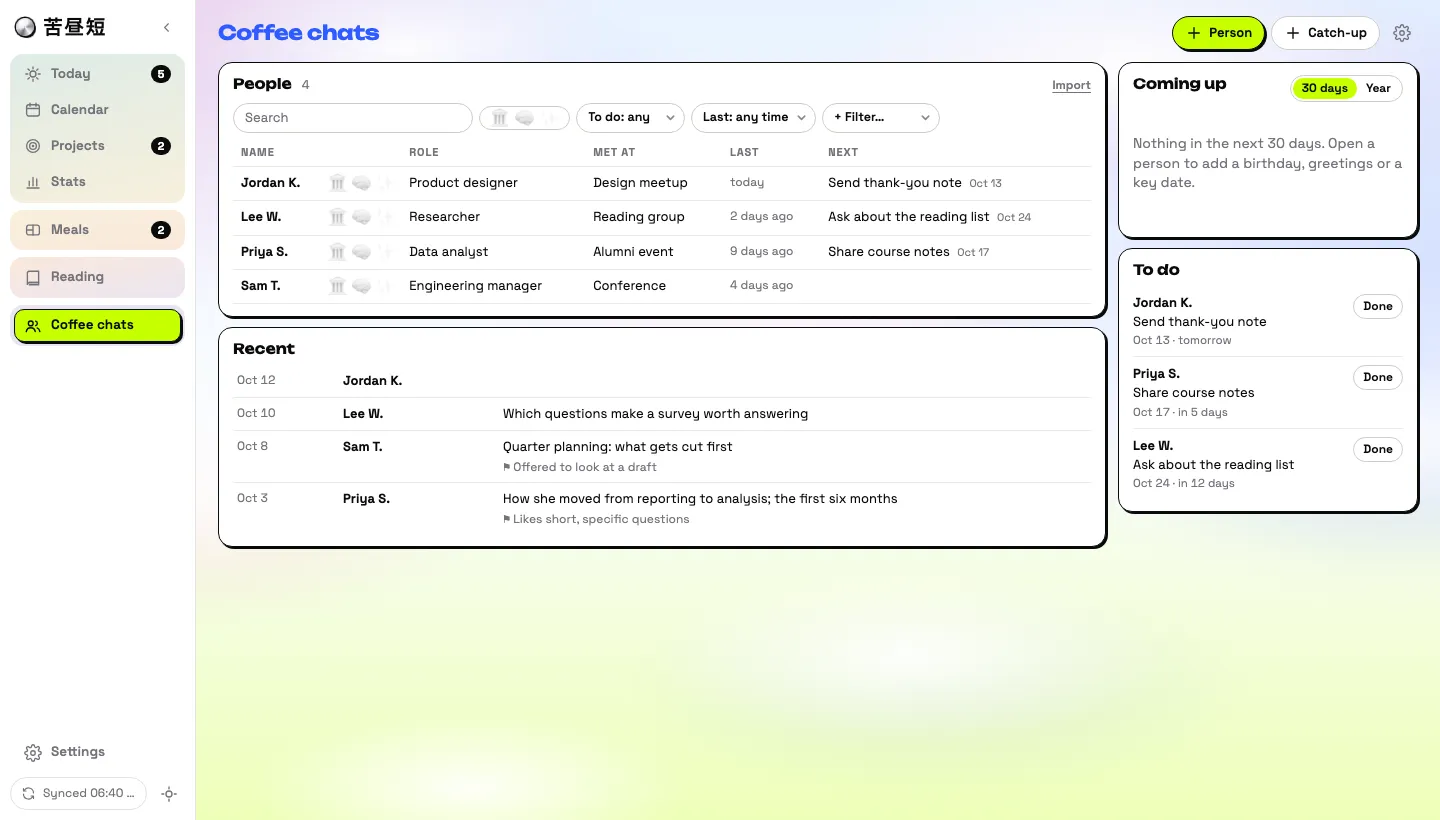
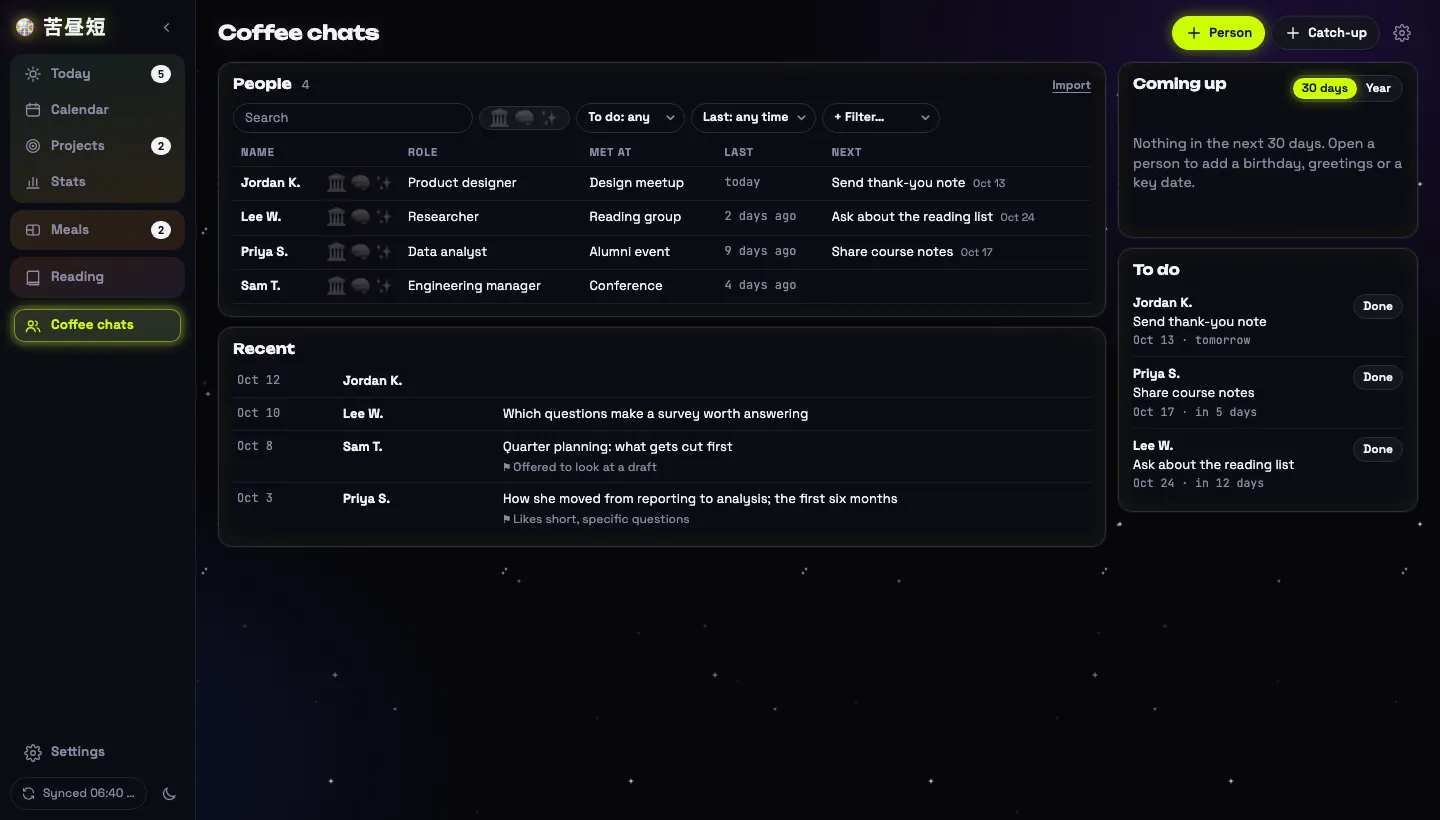
A coffee chat is booked as a task with a person attached. Afterwards the notes hold what you talked about and what the person is interested in, plus a dated next step for the follow-up. As you get to know someone, the same notes make it easier to choose a gift that fits them.
Stats
Two review pages. Time shows where the hours went: a heatmap of what you are usually doing at each hour, with deep work shown apart from ordinary work. Plan shows how the plans went: how much got finished, and the reasons recorded when something slipped.
Projects: goals and ideas
Two kinds of thing live here. Goals need thinking and time. They sit on a board by month, quarter, year and the five years after, and the board rolls forward: a late goal moves into the current column. Ideas only need consuming: an outing, a place to eat. They wait in a pool until picked for a day.
Still on their own
A few things sit outside the tool as separate islands: bookkeeping, a calendar, a mental-efficiency log, and my Notion pages. There is no plan to bring them in for now; they are simply not connected.
Decisions
| Choice | Why | Rejected |
|---|---|---|
| No server | Nothing to run, pay for, or secure | A hosted backend |
| A spreadsheet as the database | The data can be read, sorted and fixed by hand | A database only the tool can open |
| Local first | Works offline; a change is kept before the network answers | Saving straight to the sheet |
| Per row, the later edit wins | One user on two devices rarely edits the same row at once | Merging field by field |
| Fixed ids for generated tasks | Two devices cannot create duplicates | Random ids with later de-duplication |
| One row per thing in Settings | Features arrive without a schema change | A new tab per feature |
| Plan on the laptop, do on the phone | The phone stays fast and quiet | The same features on both |
| No build step, no framework | The code that is written is the code that runs | A bundler and a UI library |
| Whole-page repaint | One source of truth, no state to keep in step | Fine-grained updates |
| Taking things out | A page for routines, categories, daily notes and a day view in stats were all built and then removed | Keeping what had been built |
Parameters
| What | Value |
|---|---|
| Wait before a sync | 2.5 s |
| Repeat sync | Every 2 min, on return, on reconnect |
| Request timeout, lock wait | 30 s, 25 s |
| Service worker falls back to cache | After 4 s |
| Delete log kept | 14 days |
| Full pull after | 13 days without syncing |
| Default daily capacity | 7 h |
| The day starts at | 04:00 |
| Local storage ceiling | About 5 MB, then older tasks are archived to the sheet |
Adapt it
Ask the person these before suggesting any of the above.
- Is this for one person or several? Almost everything here assumes one.
- Which devices, and what should each one be for?
- Where should the data live, and do you need to read or edit it by hand?
- Does it have to work offline?
- Are there existing spreadsheets or tools it must write into without disturbing them?
- What would you rather not connect, even though you could?
- Can you live with a manual step when the backend script changes?
本文首发于本站 · CC BY-NC-ND 4.0 · 转载请注明出处First published here · CC BY-NC-ND 4.0 · please attribute